👤 Add an anonymised student profile
No names, schools, or specific diagnoses — just the learning profile the audit needs.
Type the subject above and this list will change to the methods taught in that subject. Tick the one your class uses; tick Other to name a different one. Unsure? Leave blank.
Every generated document is stamped "Adjusted version: [date], [time]". To protect student privacy, the conditions it was adjusted for are never shown on the document.
📄 Upload or paste the assessment task
Only want the rubric translated, without adjusting the task itself? Use Rubric Decoder instead.
Tip: include headers, dot points and any time/word limits shown on the task sheet.
Before we start
A quick look at what this tool does, then one choice: how involved you want to be.
🔍 What it does
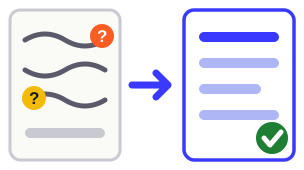
Reads a formal assessment task the way a student with a learning difference would meet it, and says what is in their way.
5 accessibility dimensions scored · 7 scaffolding areas checked
See the 5 dimensions
- Instruction clarity — is it clear what to actually do? Fixes: vague verbs turned into actions, bundled instructions split apart, one instruction per sentence.
- Working memory load — how much must be held in mind at once? Fixes: long tasks chunked, key information repeated where it is needed rather than only stated once.
- Language accessibility — is the wording in the way? Fixes: shorter sentences, subject terms defined on the spot, negatives rewritten as positives.
- Task structure & scaffolding — is the path through it visible? Fixes: explicit sequencing, headings and white space, a planning frame per section.
- Anxiety & assessment conditions — does the student know where they stand? Fixes: expectations and marking made explicit, length and timing stated, what to do when stuck.
See the 7 scaffolding areas
Each is rated Present, Partial or Missing, with a specific suggestion wherever it is not already there.
- Chunking — is a multi-part task broken into numbered steps, or is it one long block?
- Visual structure — are there headings, white space and separators to rest the eye?
- Explicit sequencing — is the order of work stated, or left to be inferred?
- Working memory support — are key terms, formulas and reference information supplied or permitted?
- Time guidance — is there any indication of how long each part should take?
- Anxiety reduction — is it clear what is expected and how it will be marked?
- Response format — is the expected length, structure and medium spelled out?
Curriculum content, task requirements and marking criteria are never changed — only how clearly they are communicated.
🖐️ Your choice — how involved do you want to be?
Both options run the same three steps — 1 Audit · 2 Adjust · 3 Build — and both end at the same place: you choosing which documents to keep. The only difference is whether it pauses for you along the way. This is the only decision to make right now, and you can change your mind on the next screen.
What happens in the three steps?
- 1 · Audit — reads the task and reports every accessibility barrier it finds.
- 2 · Adjust — rewrites the task to fix those barriers. Curriculum content, requirements and marking criteria are never changed — only how clearly they are communicated.
- 3 · Build — turns the adjusted task into the student documents: a Word document, an interactive workbook, and a step-by-step plan.
Just want the steps on their own? The Step Through tool does step 3 by itself and returns a clean, printable list of steps.
🚫 What it is not
- Not for everyday class tasks or worksheets — use Scaffold for those
- Not an AI-detector — that is not its purpose
- It does not diagnose anyone, or replace professional assessment
- It is not the only way in — want just the marking rubric turned into plain language, without touching the task? Use Rubric Decoder on its own
Include the marking rubric with the task and the audit reads the criteria against the actual questions.
🔒 Your privacy
Audit and Adjust never stores your assessment text or student information. Each audit is processed and discarded.
Do not include real names, school names, or formal diagnoses — only the anonymised profile you build on the next screen.
Pick one of the two options above to continue.
Auditing the assessment…
Checking instruction clarity and language complexity…
Please check the assessment text and try again. If the problem persists, email support@unpacktool.com.au.
Accessibility Audit Report
📋 Overall Snapshot
RAG Scorecard
⚠️ Ambiguity Flags
🏗️ Scaffold Check
| Area | Status | Suggestion |
|---|
🎯 Priority Action List
✏️ Improve This Assessment
It applies the fixes identified in the audit above and produces the version your students will actually receive — with every change listed for you to accept or reject. Curriculum intent, task requirements and marking criteria are not changed. The audit on its own does not change anything; if you stop here, nothing reaches your students.
What was changed and why
Every change starts accepted. Reject any you disagree with — your decisions flow straight through to the improved version above and into the student document.